 Software Keys HQ
Can You Use One Microsoft Office Key on Multiple Computers?
Learn when an Office key covers one computer, when Microsoft 365 covers several devices, and how Office 2021 or 2024 can be transferred safely.
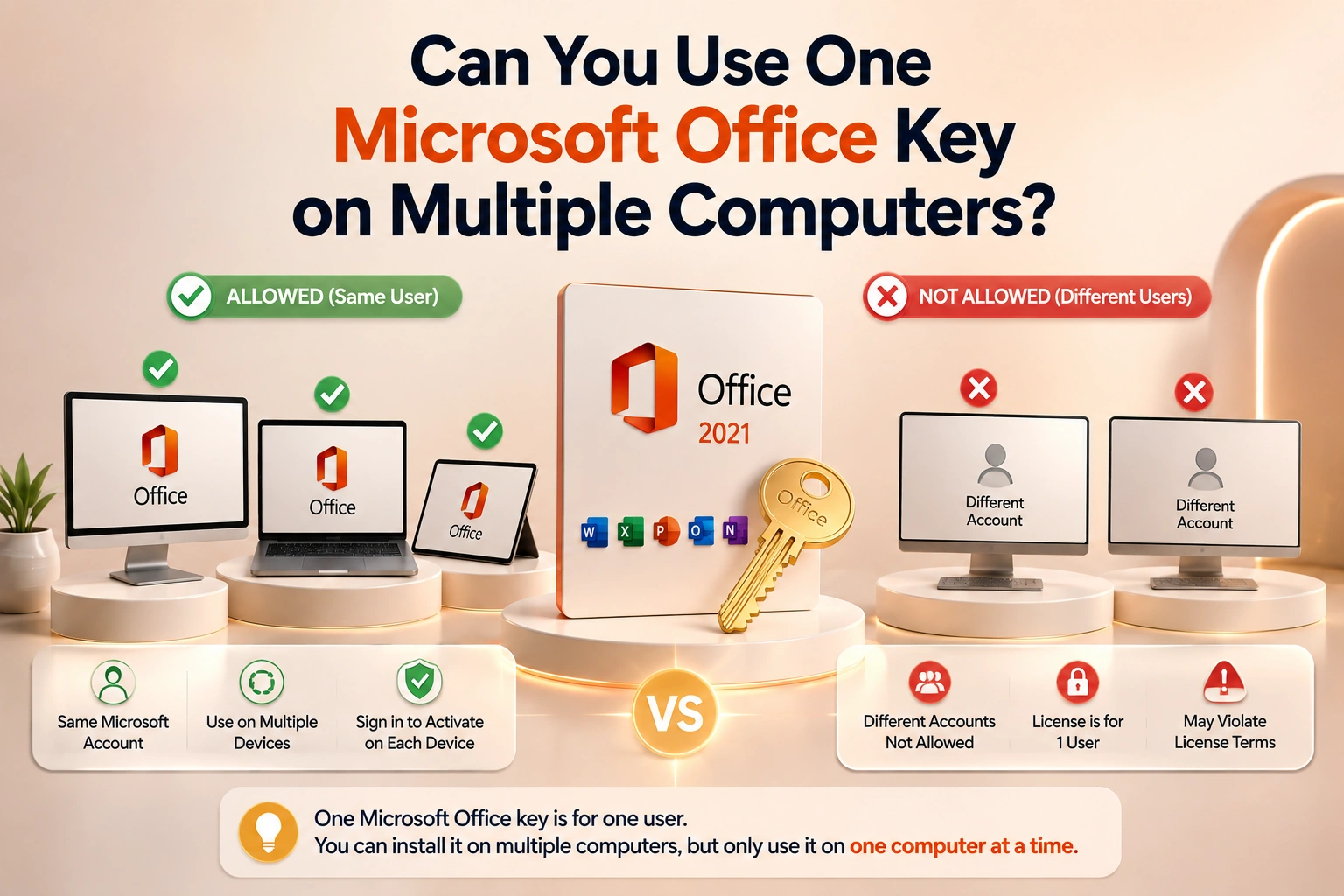
Most one-time Office purchases cover one computer. Microsoft 365 uses per-person device rights, while eligible perpetual licenses can be moved.
Most one-time Microsoft Office purchases cover one computer at a time. That does not mean every Office product uses one universal rule: Microsoft 365 subscriptions are assigned by person and permit several signed-in devices according to plan, while organization and volume products use their own assignment and activation terms.
The most common confusion is between a second simultaneous installation and a transfer. Eligible Office 2021 and Office 2024 perpetual licenses can be moved to another computer owned by the licensee under Microsoft's conditions, but the old copy must be removed. Moving a license does not create a second right to use it.
Before trusting a "multi-PC" listing, identify whether it supplies separate device licenses, a named-user subscription, an organization entitlement or only a key with several technical activations. Device count must describe legal use, not just how many times a server happens to accept the code.
Platform and release matter too. A Windows Professional Plus key does not create a Mac entitlement, and an Office 2021 purchase does not automatically become Office 2024. Record edition, release, owner account and assigned computer together so a future reinstall does not turn into guesswork. Keep the invoice with that record and review it before moving Office.
The current Microsoft rule for one-time Office
Microsoft's support guidance says a one-time purchase such as Office Home & Business, Office Home & Student or Office Home can be installed on one PC or Mac. Office 2021 and Office 2024 may be transferred to another computer that belongs to the license owner, generally no more than once every 90 days unless a hardware failure requires an earlier move.
The old computer must stop using the software and retained copies must be removed. A transfer is a move, not a way to keep two simultaneous installations from one single-device license. See Microsoft's Office transfer guidance for the current conditions.
Microsoft 365 uses a different model
Microsoft 365 Personal, Family and business subscriptions are assigned by user rather than sold as one perpetual device key. Microsoft's current comparison says a subscribed user can install the apps on their devices and be signed in on up to five at the same time, subject to the exact plan. Family plans can be shared with additional people, each using their own account and allocation.
That is not permission to give one username and password to an office full of people. Each user should have their own assigned entitlement where the plan permits sharing. Account sharing weakens security, mixes cloud files and can violate the subscription terms.
Multi-PC listings need an exact product explanation
Some commercial, volume, education or organization products legitimately cover several devices or activations. The phrase "5 PC" is not enough to explain the entitlement. Ask whether the offer is for five independent activations, one named user, an organization's deployment right, a shared-device scenario, or five separate licenses.
Professional Plus is often associated with volume licensing rather than ordinary consumer retail. A working activation does not by itself prove that an organization-owned agreement can be resold or assigned to an individual. The seller should be able to state the channel and device/user terms without resorting to a shared account.
Bind, online and lifetime labels
Resellers use shorthand that Microsoft does not always use in the same way. "Bind" usually suggests redemption to the buyer's Microsoft account, which can make reinstalls easier. "Online" may describe a direct key-entry activation. "Lifetime" should mean a perpetual release rather than a subscription with no end date.
None of these labels replaces the exact edition, platform, device count and license channel. Confirm those fields on the listing and retain the invoice. If an offer requires using a seller-controlled Microsoft account, it is not equivalent to owning an entitlement associated with your account.
Moving Office 2021 or 2024 correctly
1. Confirm the purchase is an eligible transferable license and identify the Microsoft account associated with it. 2. Uninstall Office from the old computer. 3. Sign in to the Microsoft account's Services and subscriptions page on the new computer. 4. Download the correct release and platform from the account or use Microsoft's official installer. 5. Activate by signing in or entering the key as instructed for that license. 6. If automatic activation refuses a legitimate transfer, use Microsoft's current activation support route and explain the hardware change.
Do not run third-party "license reset" utilities. A legitimate transfer is handled through the account, installer and activation service.
Reinstalling on the same computer
A reinstall is different from adding a computer. If Office was redeemed to the owner's Microsoft account, reinstall from that account and activate with the same entitlement. You may not need to type the key again because the redemption associated it with the account.
Before wiping the machine, verify which account owns the product. Many lost-license cases are really lost-account cases: the user redeemed Office years earlier under an email address they no longer remember.
Office for a household
For several people with several devices, Microsoft 365 Family is designed around separate users and is usually easier to manage than several unrelated perpetual keys. Each person keeps their own sign-in, cloud storage and files.
For one person with one long-lived desktop who does not need continuous upgrades or cloud services, a one-time Office purchase can cost less over several years. For two fixed computers, compare two legitimate one-device licenses with the relevant subscription; do not assume one key can be stretched.
Office for a business
Count people, computers and usage patterns separately. Shared front-desk PCs, remote workers, virtual desktops and personally owned devices can require different licensing. Business subscriptions add administration and may include services beyond desktop apps. Perpetual Office can suit fixed devices, but IT must track which entitlement is assigned where.
Avoid building a company deployment around consumer accounts shared by staff. Ownership and offboarding become painful, and a password change can disable several people at once.
What happens when the activation limit is reached
A legitimate key can report that it has been used too many times after hardware replacement, repeated reinstall attempts or an uncompleted transfer. First check the account's installation list and deactivate or remove the old device where the interface allows it. Then use Microsoft support with the proof of purchase.
If the seller advertised several devices but the key stops after the first, record the exact error and request support. Do not accept a different stranger's account as a replacement for the purchased license type.
Buying checklist
- Exact Office release and edition.
- Windows or Mac platform.
- One-time purchase or renewing subscription.
- Named-user or device-based rights.
- Number of users and simultaneous devices.
- Redemption to your own Microsoft account or another activation method.
- Transfer conditions.
- Replacement and refund policy.
Compare the exact device count in Microsoft Office options. A higher quantity should correspond to clearly described rights, not simply a key that happens to activate several times today.
Bottom line
One ordinary perpetual Office key is normally for one computer at a time. Eligible Office 2021 and 2024 licenses can be moved, but the previous installation must be removed. Microsoft 365 is the better-defined route for one person using several devices or a family with separate users. When a listing says multiple PCs, require an exact explanation of the channel and assignment rights before buying.
Related guides
- Office Home & Business vs Professional: Which Edition Should You Buy?
- How to Activate Microsoft Office 2021 with a Product Key (Step by Step)
- The Cheapest Way to Buy Microsoft Office Legally (2026)
Shop software keys — Windows, Microsoft Office, antivirus and business licenses, delivered fast.