 Software Keys HQ
How to Activate Microsoft Office 2021 with a Product Key (Step by Step)
Redeem, install and activate Office 2021 with a product key, verify the account and edition, and fix common activation or old-install conflicts.
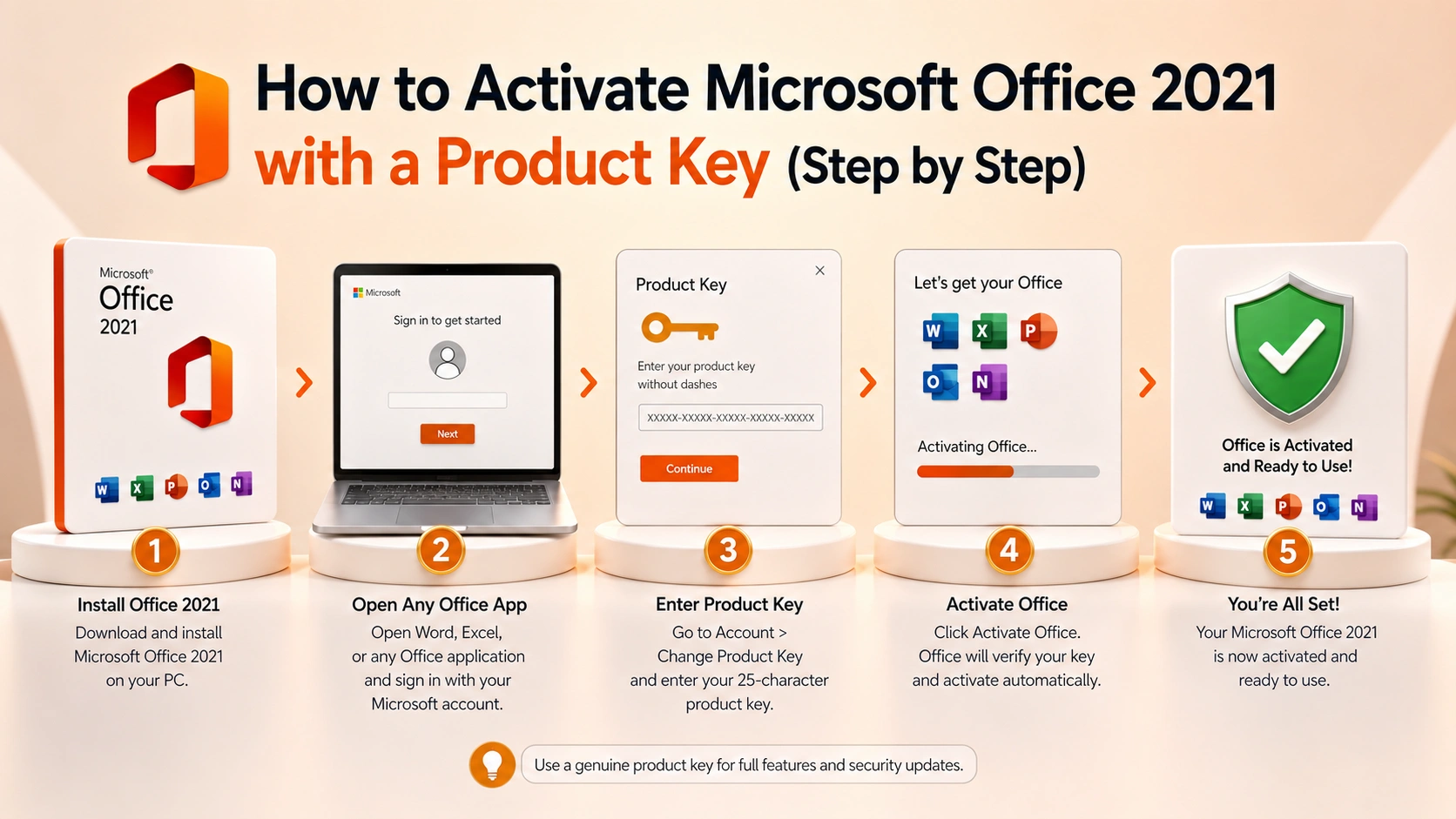
Redeem Office 2021 to the right Microsoft account, install the matching edition, activate safely and keep the account record for future reinstalls.
Office 2021 activation is straightforward when the key, installed edition and ownership account all match. Many retail purchases use the key once to redeem Office to a Microsoft account; later installations come from that account and activate by signing in. Commercial and volume editions can follow a different MAK, KMS or organization-managed path.
That distinction should be identified before entering the code. Redeeming a retail key to the wrong personal account can create a lasting ownership problem, while trying to redeem a volume product through the consumer setup page produces confusing errors. Use Microsoft's installer, keep the invoice and never substitute a shared seller account or unofficial activator for the purchased entitlement.
Understand redemption versus activation
For many retail Office 2021 purchases, the product key is redeemed once to a Microsoft account. Redemption establishes ownership in the account and provides the installer. Activation then occurs when the installed apps sign in with that account.
After redemption, repeatedly typing the key is not the normal reinstall method. The important asset becomes the Microsoft account that now lists the product. Record that account and protect it with multi-factor authentication.
Some commercial, volume or workplace products use a different process such as direct key entry, MAK or organization-managed activation. Follow the method for the exact edition rather than forcing a consumer redemption workflow onto Professional Plus or another channel.
Step 1: remove conflicting Office installations
Open Settings, Apps, Installed apps and look for Microsoft 365 trials, older Office releases and duplicate language or architecture components. A preinstalled Microsoft 365 trial can open instead of the purchased Office 2021 edition and report that the account has no matching subscription.
Uninstall versions that should not remain, restart, and use Microsoft's official cleanup support tool if a broken installation cannot be removed normally. Back up Outlook data and custom templates first.
Do not download an unofficial "pre-activated" installer. It can install the wrong edition or add a volume activator that masks the real license.
Step 2: redeem a new retail key
Go to Microsoft's official Office setup or redemption page and sign in with the Microsoft account that should own the license. Check the email address carefully before entering the 25-character code. Once a key is associated with an account, moving that association can be difficult or impossible outside the applicable transfer process.
Enter the key, confirm country or region and language, and follow the prompt to add the product. Save the order invoice separately. If Microsoft says the key has already been used, do not try random accounts; check whether it was previously redeemed to one of your accounts and contact the seller with the exact message.
Step 3: download from the account
Open the Microsoft account's Services and subscriptions page. Office 2021 should appear under products you own. Choose Install and download the installer from Microsoft.
Select 32-bit or 64-bit only when there is a reason. Microsoft generally recommends 64-bit on modern systems, while 32-bit can be necessary for older COM add-ins or integrations. Mixing Office architectures on one computer causes installation errors.
Step 4: activate in an Office app
Open Word or Excel. Accept the license prompts and sign in with the same account used for redemption. Office should detect the entitlement. If the Activation Wizard appears, follow its prompts for the exact product.
Open File, Account and inspect Product Information. It should name the purchased Office 2021 edition and report an activated product. Seeing "Microsoft 365" when you purchased Office 2021 means the wrong installation or account is active.
Microsoft's current activation paths are summarized in Activate Office for Windows.
Professional Plus, MAK and organization keys
Office Professional Plus is often distributed through workplace, volume or other commercial channels. It may activate by direct key entry or an organization's service rather than consumer account redemption. Confirm who owns the entitlement and whether the device is authorized under that agreement.
A MAK has a finite activation allowance managed by the organization. KMS requires periodic contact with the organization's activation host. Neither should be represented to an unrelated home buyer as a self-contained consumer retail account.
If your legitimate employer supplied Office, use its portal and IT instructions. Do not replace organization activation with a key bought personally without understanding how that changes support and ownership.
Common error: product not found in the account
Sign out of every Office app, close them, then sign in at account.microsoft.com and inspect Services and subscriptions for each plausible account. Search old email for the redemption confirmation. The key may already belong to another account you control.
If the product is present online but the apps do not see it, confirm the installed edition matches. An Office 2021 Home & Business entitlement will not activate a Professional Plus installation simply because both include Word.
Common error: key already used
For a redeemed retail key, this often means the key has completed its job and the product should now be installed from the owning account. It can also mean a seller supplied a previously redeemed key. The account record and order history distinguish those cases.
Ask the seller for replacement under the stated warranty when a supposedly new key is already attached to an unknown account. Do not accept credentials for that stranger's account.
Common error: activation limit reached
If Office was moved to a new computer, uninstall it from the old one and review devices or installations in the owning account. Eligible Office 2021 licenses may be transferable under Microsoft's terms, generally not more than once in 90 days except after hardware failure.
Microsoft moved many traditional automated telephone activation cases to its online Product Activation Portal in December 2025. Follow current Microsoft support rather than an old article that sends you through a retired phone robot.
Reinstalling after a reset
Sign in to the owning Microsoft account, download Office 2021 from Services and subscriptions, install the same edition and activate by signing in. Keep the release and platform consistent.
A one-time purchase does not automatically upgrade to Office 2024 or Microsoft 365. If the installer puts a newer subscription trial on the machine, remove it and return to the owned-product page.
Mac-specific checks
Use an Office 2021 license sold for Mac and download the Mac installer from the owning account. Windows Professional Plus keys do not transform into Mac Home & Business licenses. Application availability also differs; Access is Windows-only.
On a Mac with an existing Microsoft 365 installation, signing in may switch the visible entitlement, but that does not change what the purchased Office 2021 license covers.
Activation safety rules
- Redeem only on Microsoft-owned pages.
- Use an account you control.
- Enable multi-factor authentication.
- Download installers from Microsoft.
- Never run cracks, KMS emulators or scripts asking to disable security.
- Keep the key out of screenshots and public messages.
- Save the invoice, exact edition and owning account together.
For a matching one-time edition, compare Microsoft Office options by platform, device count and activation method before redeeming.
Final verification
Open File, Account in Word. Confirm the correct Office 2021 edition, activated status and signed-in owner. Check that the product also appears in the owner's Microsoft account where the channel supports account binding. Open Word, Excel, PowerPoint and Outlook if included, run Office Update, and create a small test document.
Activation is complete when the account, installed edition and purchased rights all agree—not merely when Word stops showing a warning banner.
Related guides
- Office Home & Business vs Professional: Which Edition Should You Buy?
- Can You Use One Microsoft Office Key on Multiple Computers?
- The Cheapest Way to Buy Microsoft Office Legally (2026)
Shop software keys — Windows, Microsoft Office, antivirus and business licenses, delivered fast.